How to Configure Your Email on Android & iOS Using the Gmail App (IMAP)
The number 1 .al domain registrar.

In this guide, you will learn how to configure a professional email address (e.g., support@host.al) on an Android or iOS phone using the Gmail application via the IMAP protocol.
This setup allows you to manage your business email directly from the Gmail app on your phone.
Step 1: Open the Gmail App and Add a New Account
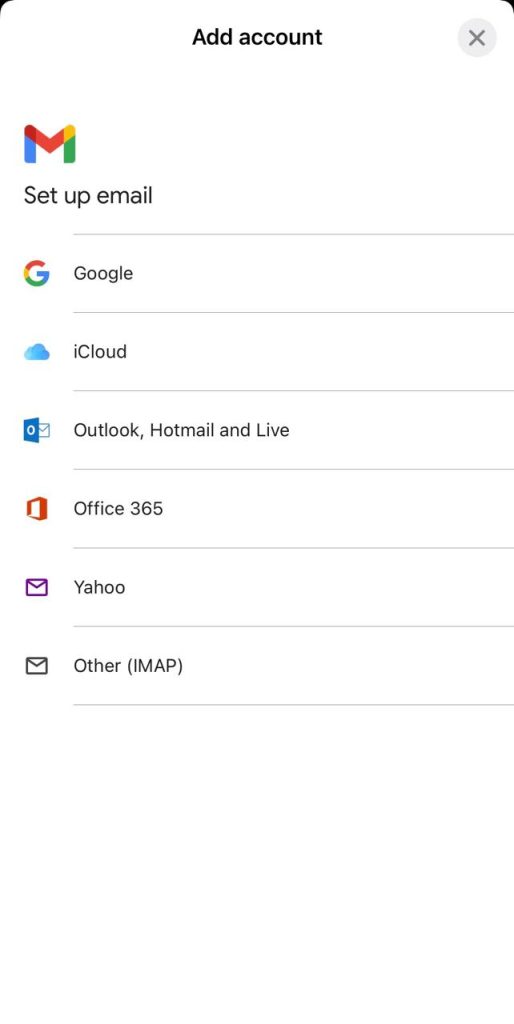
- Open the Gmail app on your phone.
- Tap Add account.
- You will see several email type options.
4. Select Other (IMAP)
(Kjo përdoret për email-e që nuk janë Google, Outlook, Yahoo, etj.)
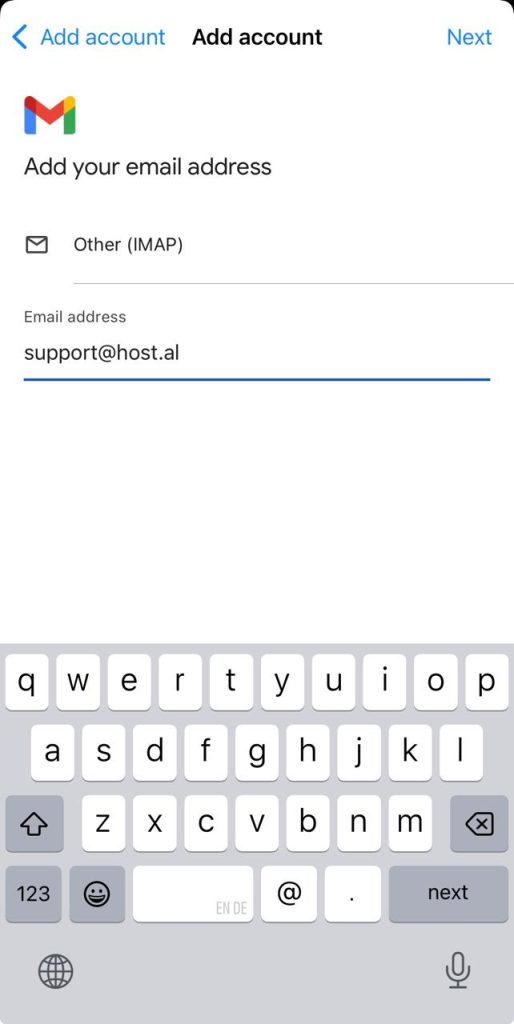
Step 2: Enter Your Email Address
In the field that appears:
- Enter your full email address
Example:support@host.al
Then tap Next.
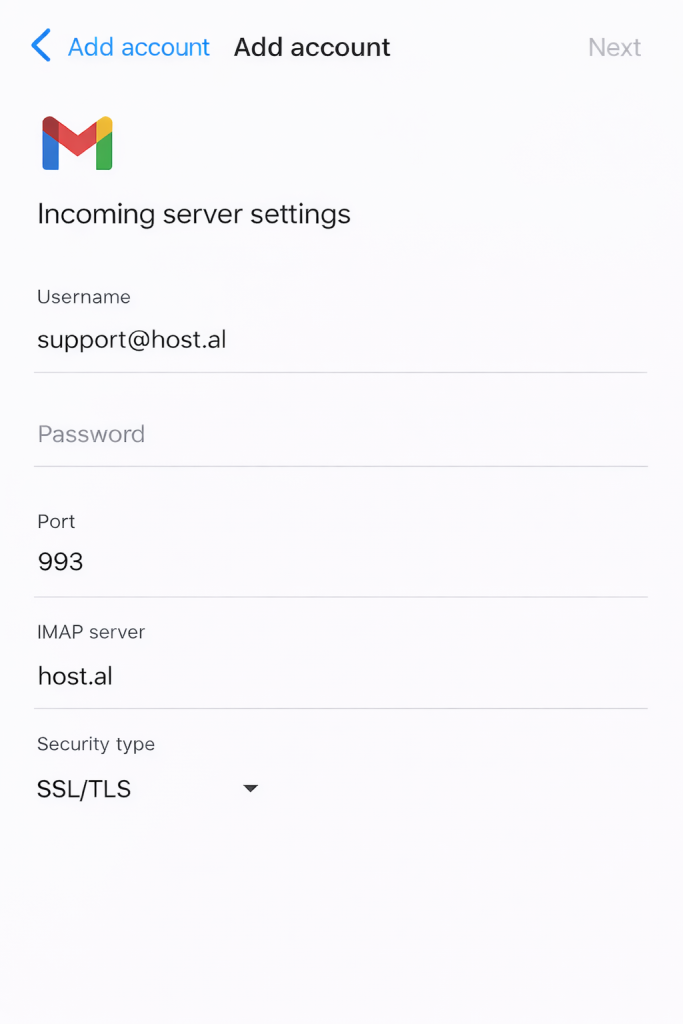
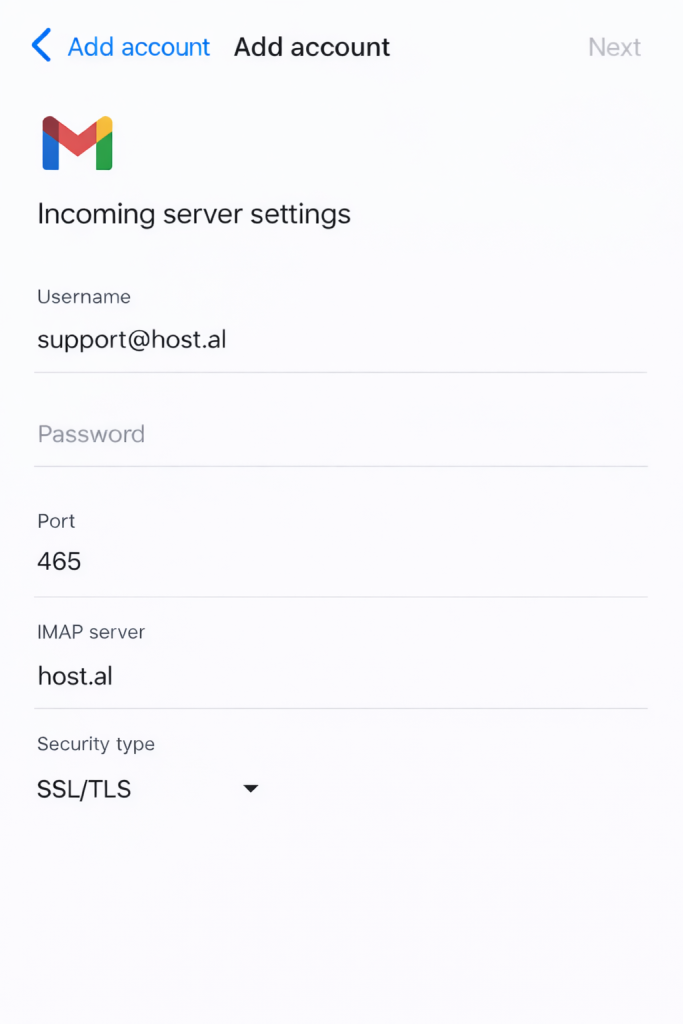
Step 3: Configure the Incoming Mail Server (IMAP Settings)
In this step, you need to enter the IMAP server details.
Fill in the fields as follows:
- Username:
support@host.al ( your email address ) - Password:
(your email password) - IMAP Server:
host.al (your domain name) - Port:
993 - Security Type:
SSL/TLS
Important Note:
Port 993 is used for secure IMAP (SSL/TLS).
Do NOT use port 465 in this step, as port 465 is used for SMTP (sending email), not for IMAP.
After filling in all fields, tap Next.
Step 4: Configure the Outgoing Mail Server (SMTP)
In the next step, you will configure the outgoing server settings.
Fill in the following:
- SMTP Server:
host.al (your domain name ) - Port:
465 - Security Type:
SSL/TLS - Require Sign-in:
Aktiv (ON) - Username:
support@host.al (your email adress) - Password:
(your email password)
Port 465 is used for secure SMTP (SSL)
Tap Next to continue
Step 5: Complete the Setup
Your webmail account is now successfully configured in the Gmail app.
Tap Next, and the setup process will be completed.